.png)
Follow these steps to delete samples from your database. Please note that you will need to have the appropriate user role to perform these actions:
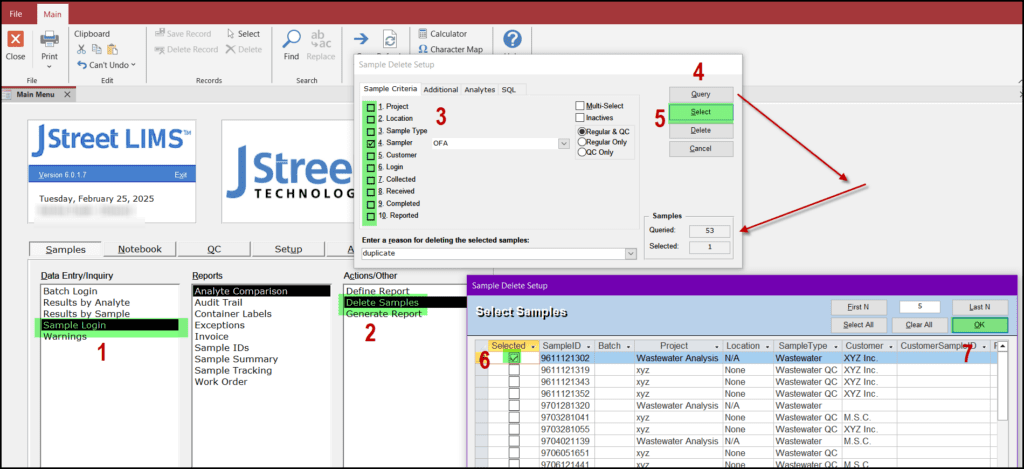
- Go to the SAMPLES tab
- Choose DELETE SAMPLES
- Using the SAMPLE CRITERIA in the pop-up screen, choose criteria that match your sample. You can also choose additional parameters from the other tabs on the pop-up screen.
- Click on QUERY and you will see the number of queried samples
- Click on SELECT
- In the pop-up SELECT SAMPLES screen check the box(es) next to the samples you want to delete
- Click OK
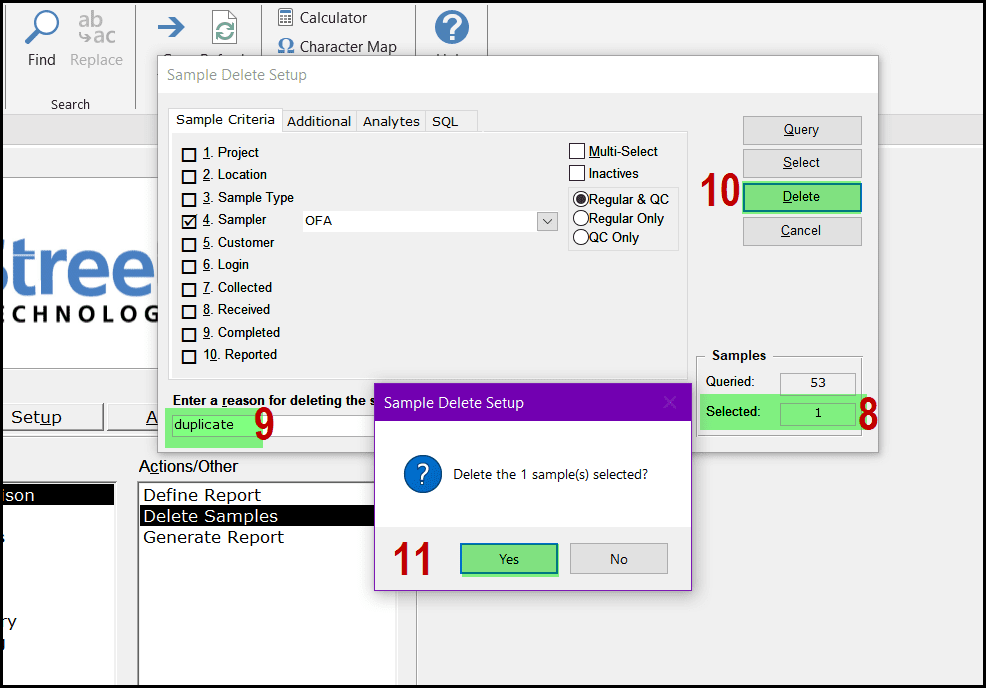
- You will see the number of samples that you have earmarked for deletion
- Enter a reason for the deletion as shown below
- Click DELETE
- Choose YES on the pop-up screen
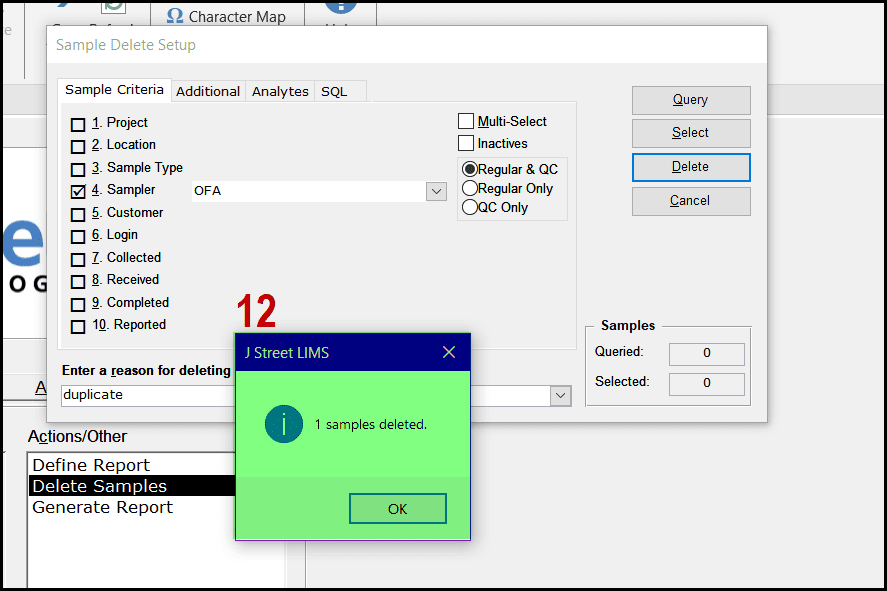
- A pop-up screen will confirm that you sample(s) have been deleted.