.png)
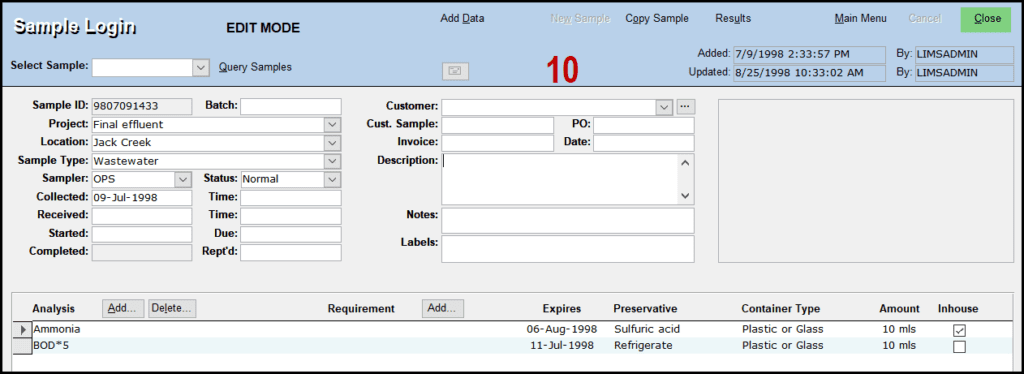
If you find that you need to edit an existing samples data(for example, the description of a sample, etc.) this can be done by following these steps:
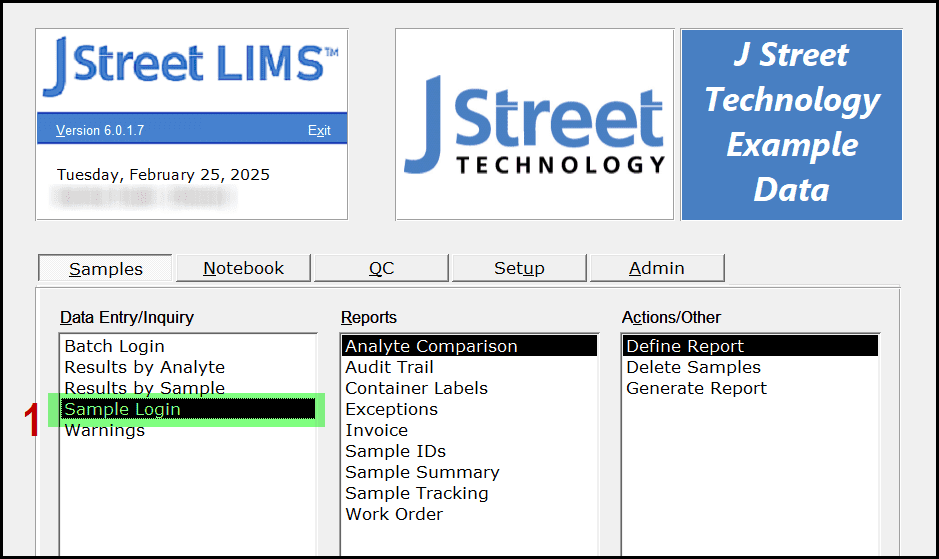
- Choose the SAMPLE LOGIN option on the SAMPLES tab
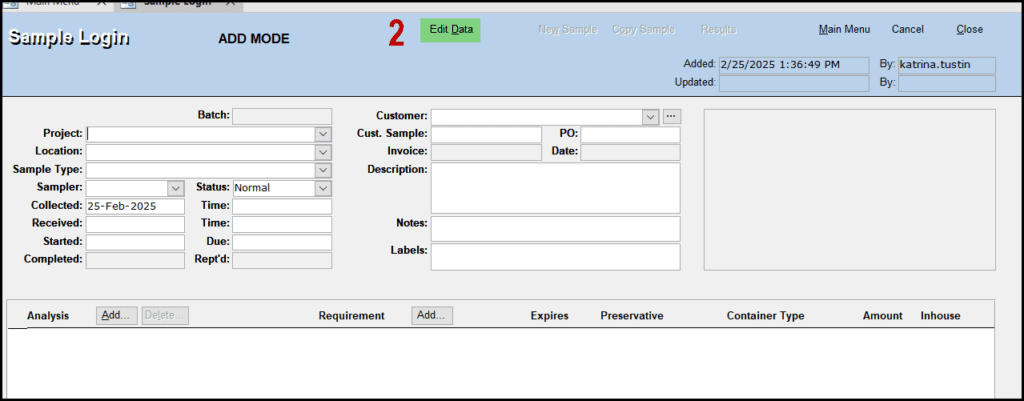
- Select EDIT MODE at the top of the screen. You can tell that you are in EDIT MODE by the bold-type text indicated at the top of the screen
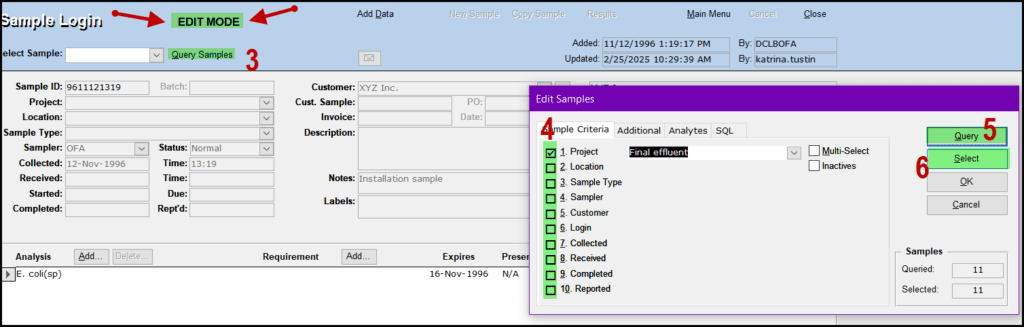
- Click QUERY SAMPLE
- Choose your criteria from the available options
- Click QUERY. You will see the number of samples that meet your criteria
- Click SELECT
- Select the sample that you want to edit
- Click OK
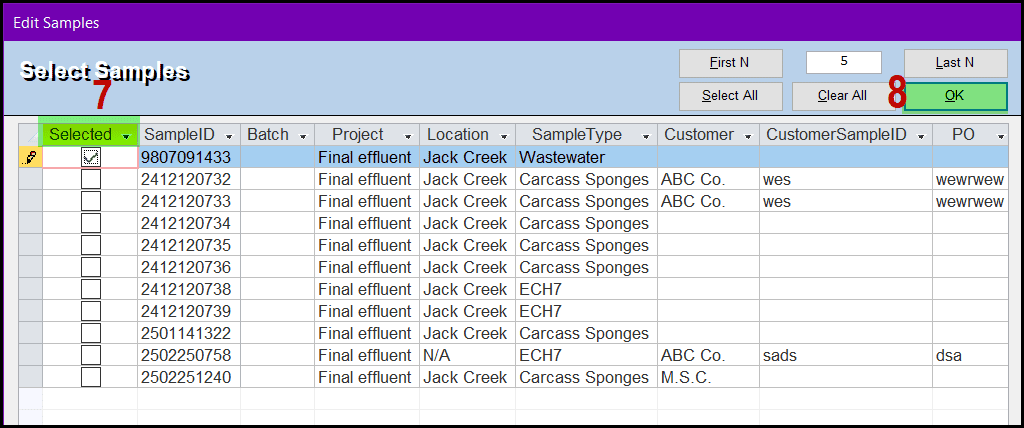
- Click OK
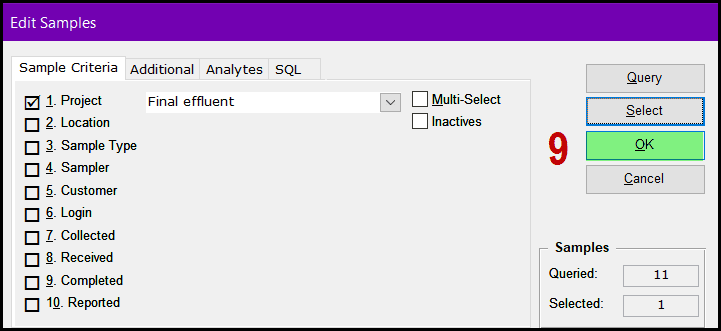
- The sample’s detail fields are now editable. Click close to exit the screen.