.png)
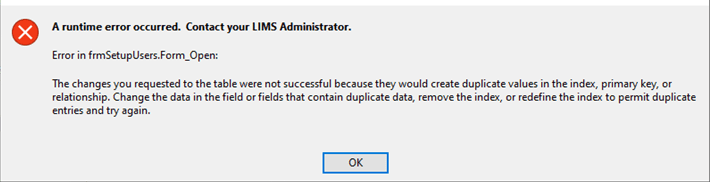
ERROR:
SOLUTION:
This error occurs when a login name exists in more than one role, which can occur if the user was added through SQL Server Management Studio.
In SSMS, verify that each database user is only assigned to a single LIMS/db_owner role:
After verifying the above information, close and re-open the Users form in LIMS. This should fix the “duplicate values” error message that you are seeing when opening that form.
STILL RECEIVING ERROR:
If you are still experiencing this error, run the following script in SSMS to find duplicate LoginName records, then remove the user from all but one role.
Follow these steps:
Log in to SSMS
1. Click the plus icon to expand the Databases folder
2. Right-click the LIMS database and choose New Query
3. Copy and paste the above SQL statement into the new query window in SSMS
4. Press the [F5] key on your keyboard or click the [Execute] button in the toolbar to execute the statement
Enter your database name in the USE statement at the top of the script.
SELECT sp.name AS LoginName,
      m.name AS UserName,
      r.name AS RoleName,
      RIGHT(sp.name, LEN(sp.name) - CHARINDEX('\', sp.name)) AS Login,
      RoleNumber = CASE r.name
                        WHEN 'lims_readonly' THEN
                            0
                        WHEN 'lims_sampler' THEN
                            1
                        WHEN 'lims_technician' THEN
                            2
                        WHEN 'lims_admin' THEN
                            3
                        WHEN 'db_owner' THEN
                            4
                        ELSE
                            99
                    END
FROM sys.database_role_members rm
    INNER JOIN sys.database_principals r
        ON rm.role_principal_id = r.principal_id
    INNER JOIN sys.database_principals m
        ON rm.member_principal_id = m.principal_id
    INNER JOIN sys.server_principals sp
        ON sp.sid = m.sid;