.png)
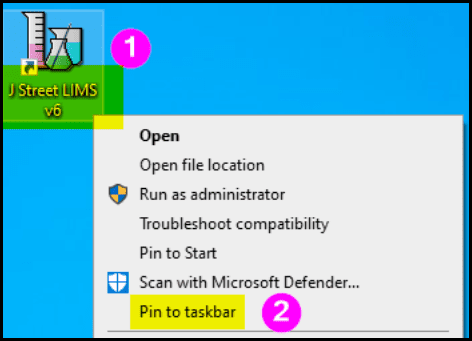
To pin your J Street LIMS program to your taskbar, follow the instructions below:
- Right-click the J Street LIMS v6 desktop icon
- Choose “Pin to Taskbar”
Important Caveats – Please Read
- Installing a J Street LIMS update WILL NOT automatically update the pinned shortcut. This is a Windows security feature and we can’t work around it. Users will see this error:
To fix it, you will first need to right-click on the existing pinned icon and choose “Unpin from taskbar“:
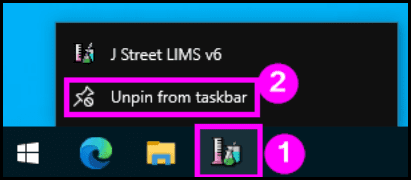
Then, right-click on the shortcut icon and choose “Pin to taskbar” again.
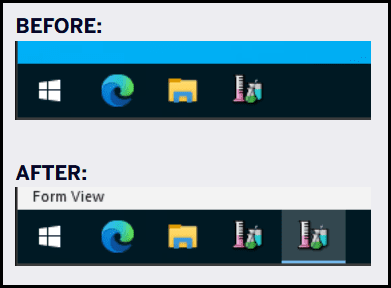
2. Please note that clicking on the pinned icon will open J Street LIMS, but it will temporarily create a second icon on the taskbar (likely because it actually represents the underlying msaccess.exe process, rather than the pinned shortcut).